Configure the Search Results Module
DNN Version: 09.02.00
• 1 minute to read
• 1 minute to read
Steps
Go to the page containing the module to configure. Edit the page.
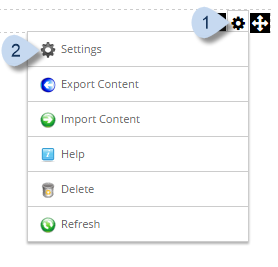
In the module's action menu bar, go to Manage (gear icon) > Settings.
Go to the Search Results Settings tab.
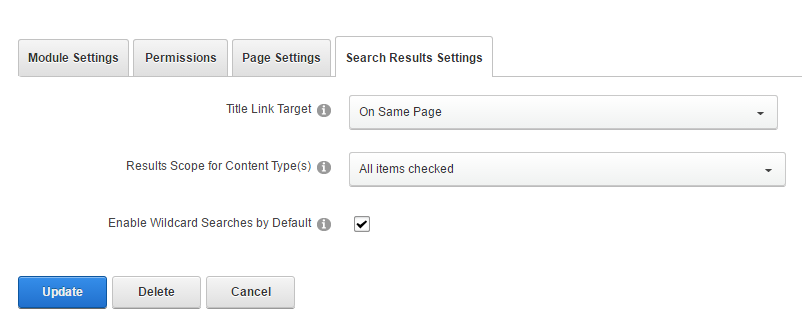
Field Description Title Link Target Where the results would be displayed: - On Same Page
- Open New Page
Results Scope for Content Type(s) The content types that would be included in the results. Enable Wildcard Searches by Default If checked, users can enter partial words as search terms. Example, "org" will return "organization" and "organize". Tip
If too many searches take too long, uncheck this option.