Delete a Module from a Page via the Persona Bar
DNN Version: 09.02.00
• Less than 1 minute to read
• Less than 1 minute to read
Steps
Go to the page containing the module to delete.
Go to Persona Bar > Edit.

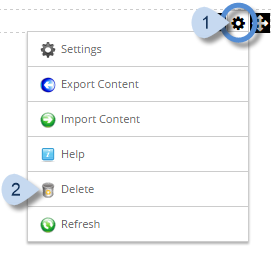
In the module's action menu bar, go to Manage (gear icon) > Delete.